See the ratings.
Bring IMDB and Rotten Tomatoes scores into your streaming page. Get context before you commit to movie night.
Trim / Desktop Chrome extension
IMDB and Rotten Tomatoes ratings, right where you choose what to watch. Find your next favorite on Netflix and other supported streaming services.
For desktop Chrome · Free to install · Premium features available
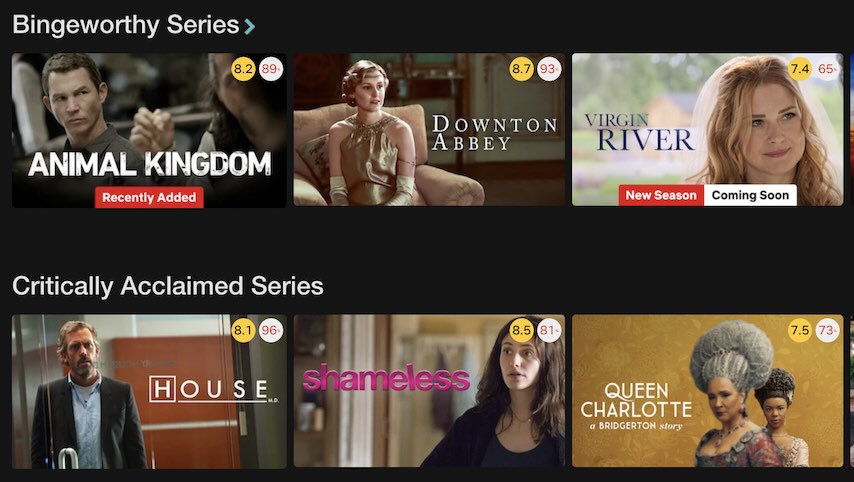
A little help with the endless scroll
Bring IMDB and Rotten Tomatoes scores into your streaming page. Get context before you commit to movie night.
Fade low-rated titles and hide the ones you are not interested in. Give the better options room to stand out.
Explore more Netflix genres and browse the best movies and shows. Spend a little less time deciding.
Inside Trim
Trim / Feature
Trim brings IMDB and Rotten Tomatoes ratings into your favorite streaming platforms, like Netflix, Disney+, HBO Max, and Amazon Prime Video. It helps you find hidden gems and avoid cinematic flops.
Trim / Feature
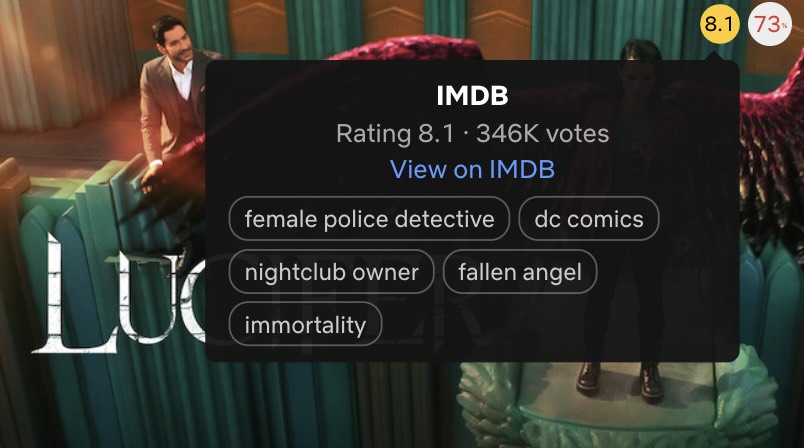
Hover over an IMDB rating to see genre keywords and the vote count. Click it to jump directly to the title's IMDB page. Hover over a Rotten Tomatoes rating to see both the Tomatometer and audience score.
Trim / Feature
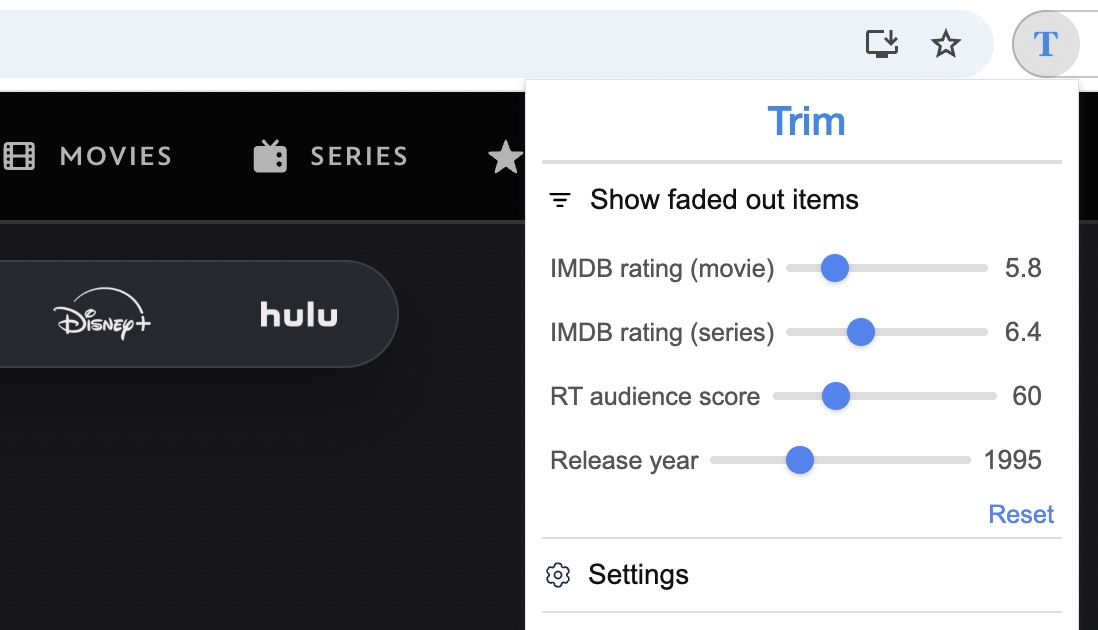
Use Trim's filter sliders to fade out titles that don't meet your standards. Set minimum thresholds for IMDB rating (movies and series separately), RT audience score, and release year. So you only see the good stuff.
Trim / Feature
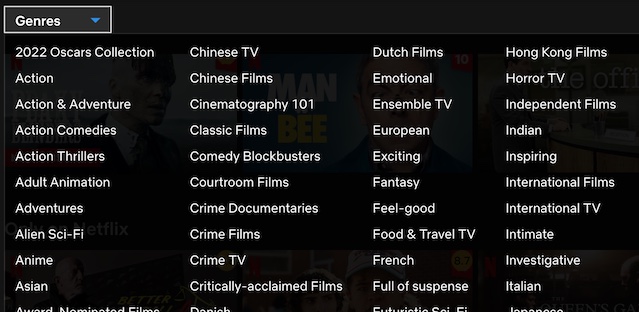
Trim lets you browse more genres than Netflix shows by default. Unlock hidden categories in the genre dropdown on the movies and shows pages — like Oscar-winning films, Emmy-winning series, cult classics, and more.
Trim / Feature
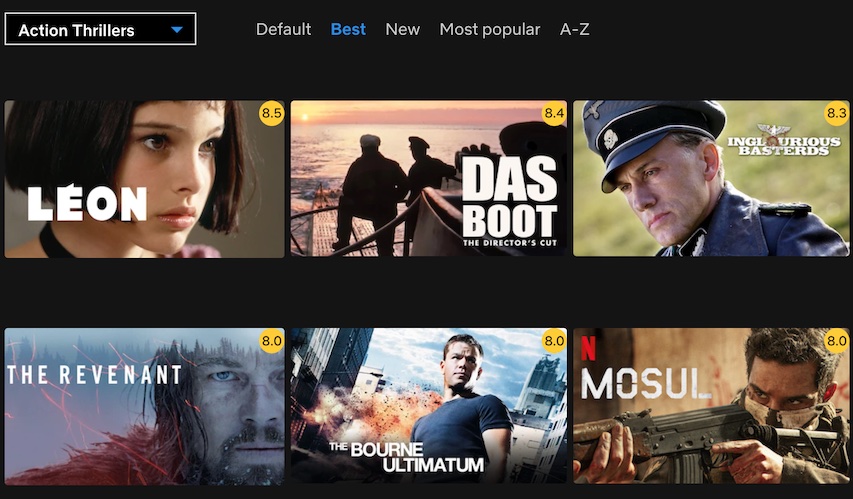
With Trim you can view the best movies or TV shows of a genre in the grid view. By clicking the "best" button on top. You can also sort the results by release date, popularity, alphabetical order, etc.
Trim / Feature
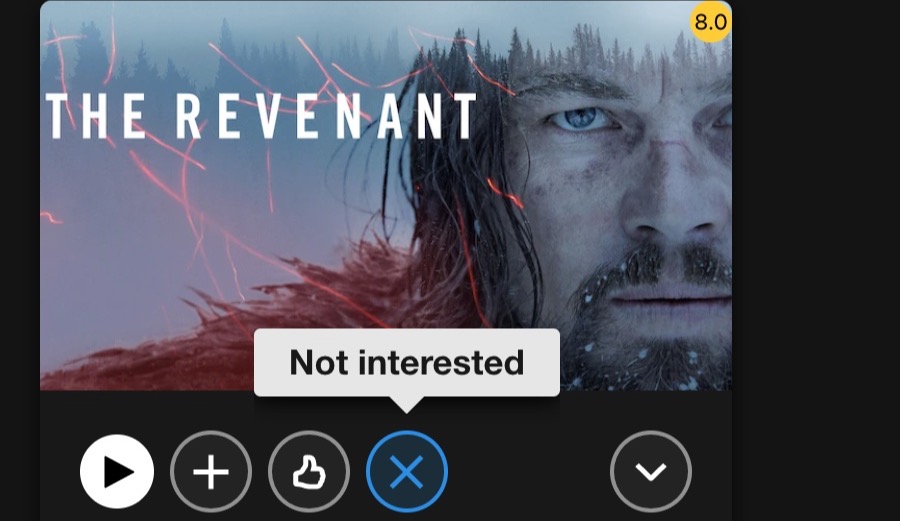
With Trim you can click the "Not interested" button on any movie or TV show to hide it from view. The title disappears from your streaming page and stays hidden even after you reload — keeping your browsing clean and distraction-free.
Trim / Feature
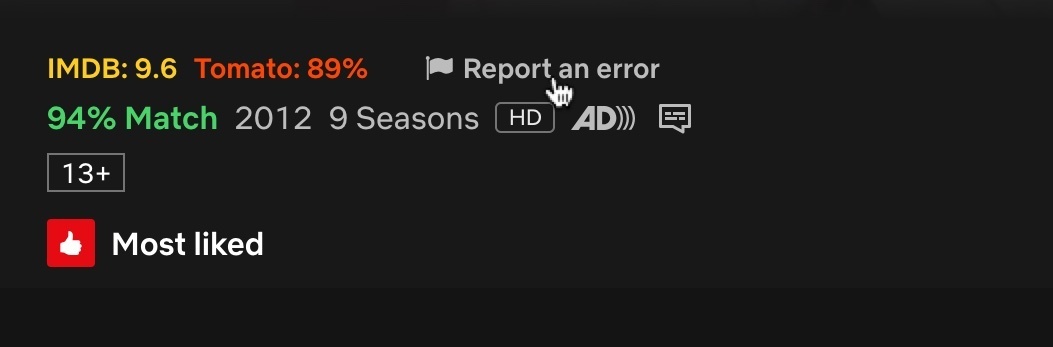
If Trim shows an incorrect IMDB or Rotten Tomatoes rating for a title on Netflix, you can report the mismatch directly from that title's detail page. Just provide the correct IMDB or Rotten Tomatoes URL and we'll fix it.
Install from the official Chrome Web Store on your desktop browser.
Refresh tabs that were open before installation. Look for ratings on supported title cards and pages.
Use the extension’s filters and discovery tools to narrow the choice. Some features require Premium.
Before movie night
Install Trim in desktop Chrome, then open or refresh Netflix. Trim adds IMDB and Rotten Tomatoes ratings to supported title cards and detail views.
Trim shows ratings on supported streaming services including Disney+, HBO Max and Amazon Prime Video. Features vary by service, and website updates can affect compatibility.
Trim is free to install. Some features require Trim Premium; check the extension for the current feature limits and subscription options.
Use Trim’s filter sliders to fade titles below your chosen rating thresholds. You can also hide individual movies and shows with the Not interested button.
Make room for better movies
Let Trim help you find it. For desktop Chrome.